Upscale your photos up to 4× the resolution
Enlarge small or low-resolution photos for printing, framing, or social. Our AI adds genuine detail rather than blowing up pixels — sharper edges, cleaner textures, more usable images.
From 10 credits ($1.00) at 1.5× · up to 50 credits ($5.00) at 4×
How it works
From upload to download in three simple steps.
1. Upload
Upload a JPG, PNG or WebP up to 10 MB. The clearer the original scan, the better the result.
2. AI processes
Our AI analyses your photo and applies the appropriate model. Most jobs finish in under a minute.
3. Download
Compare before / after, then download the high-resolution result. Your originals are never used to train AI models.
See the size difference
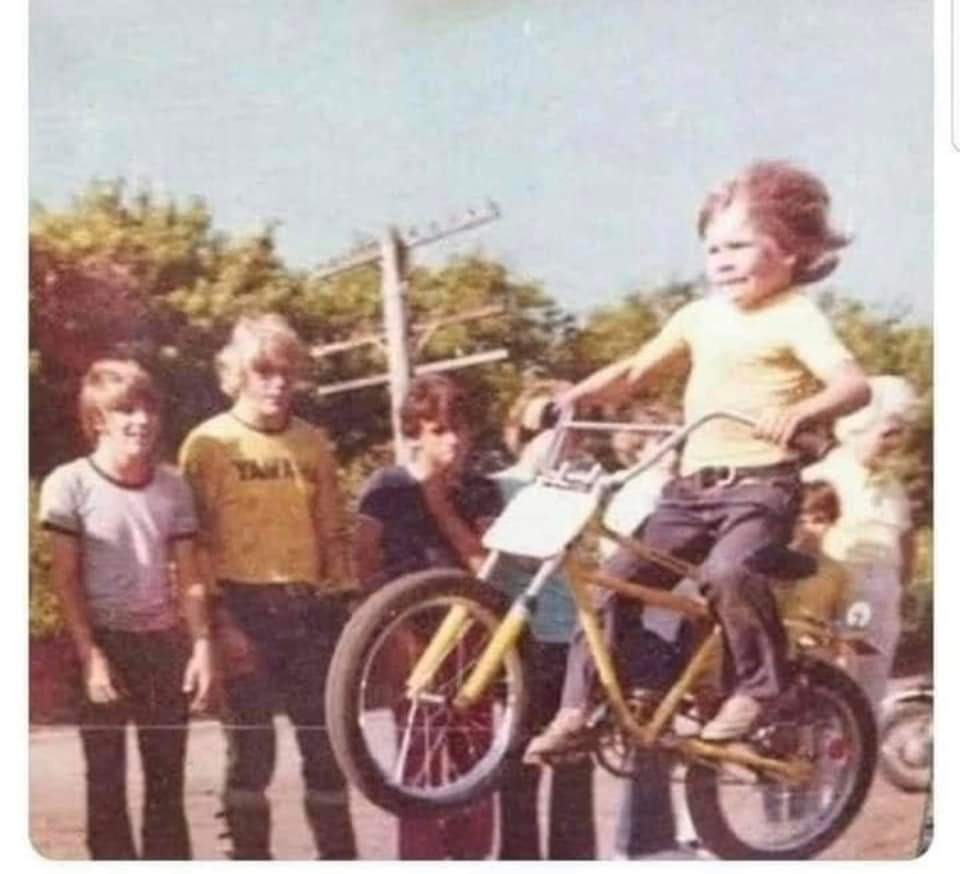
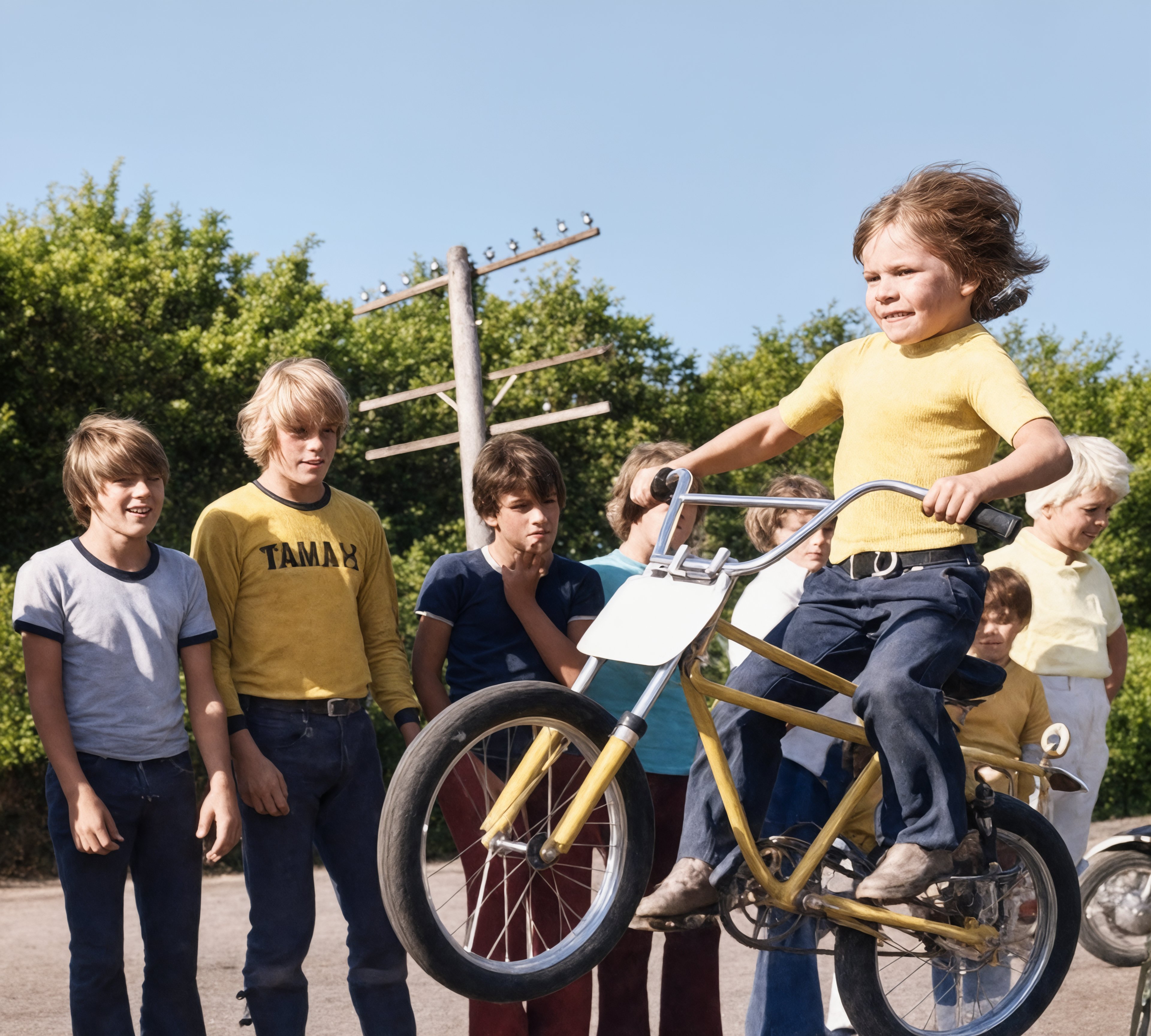
A scanned 1970s snapshot upscaled 4× with Photo Repair Lab — 16× the total pixels. The tiles below are drawn at their true relative sizes.
Upscaling that adds real detail — not just bigger pixels
Traditional resizing (in apps like Preview, Photoshop, or Word) makes a photo larger by stretching pixels. The result looks blurry and soft because no new information is being added — you are just spreading the same data across more space. AI upscaling is fundamentally different: the model has been trained on millions of high-resolution photographs, so when it enlarges your image it can intelligently reconstruct what fine detail probably looked like. The result is a genuinely sharper image that holds up at large print sizes.
Choose the right scale
1.5× — gentle sharpening for already-decent photos that need a polish. Cheapest at 10 credits.
2× — most popular choice. Doubles each side, quadruples total pixels. Ideal for screen displays and small prints. 15 credits.
3× — print-ready for medium poster sizes. 30 credits.
4× — maximum scale, suited to large prints, gallery walls, or when starting from a phone screenshot. 50 credits.
When to upscale (and when not to)
Upscaling is ideal for: small phone-camera photos for printing, scanned documents and old photos, screenshots, low-resolution downloads, photos cropped tight from a larger image.
Upscaling cannot rescue truly destroyed images — heavily compressed JPEGs with visible blocking, severe motion blur, or out-of-focus shots will look better but cannot be perfectly recovered. For damage repair on old photos, use our Restoration tools instead — they are tuned specifically for old-photo defects.
Frequently asked questions
Complete the project
Restoration is usually step one. Here’s what most people do next.